Friday, November 30, 2012

Nexus 7 review

For my birthday, my husband surprised me with a Nexus 7.  I love this device.  I use it primarily for reading, web browsing, email, and Facebook.  I've owned an iPod touch 4th gen and the original Kindle Fire.

Pros:
  •  smooth UI experience (especially with the Jelly Bean update)
  • very nice screen
  • access to the Google Play Store (the Amazon app store for kindle was smaller)
  • support for multiple users so my husband, I, and my kids can all have their own accounts
  • like the live wall papers.  I have these great tropical fish that swim around.
  • bluetooth works well and it can pair with the speaker I had laying around
  • Most websites work well, including the desktop version of Slate.com (which is a site that most tablet browsers have problems with)
  • PBS streaming videos work well as does netflix
  • Stable, haven't had a hard lock yet (keeps fingers crossed, since I just called down the wrath of Murphy's law)
  • I can put app short cuts exactly where I want them.  
  • Calendar widget is very useful
  • Touch response is almost instant, I don't have to tap twice
  • Browser has this cool magnify feature that if it can't tell which link I clicked, it magnifies a little piece of the screen so I can choose, so no more wrongly clicked links.

Cons:
  • don't really like the newest version of the kindle app, but that isn't the nexus's fault
  • multiple user support means you need to install apps multiple times, or rather, each account needs access to a Google play account that has a certain app purchased.  I created a new gmail account to just be for apps because I really don't want my kids having access to my mail.
  • I think there are still a few issues with multiple users, relating to memory usage, but a reboot fixes it and it doesn't happen very often
  • access to Amazon videos involves jumping through some hoops.  Installed Firefox Beta because it still supports flash (and the flash apk).  Amazon Prime videos work, but the video controls don't.
  • occasionally gets into a state where settings menus won't pop up for minutes.  Reboot fixes this. I'm not sure why it happens.  My current theory involves too many processes running.  I've installed an app killer.  Next time the problem happens, I'll be able to see if it is memory related.
Other thoughts:
  •  Battery will last all day, probably get a little over a day of web browsing, email, reading, and my kids playing games.  I charge it every night.
  • My husband likes this better than the Kindle Fire.  He didn't like the Fire's screen or laggy interface
So was the upgrade from Kindle Fire worth it?  I don't know.  It is a much nicer user experience over all.  The screen is great.  The faster processor means I'm not waiting around for anything.  My husband likes it a lot better. I'm glad I own it.  But the Kindle Fire did everything adequately.  The Nexus does everything well.

update 12-25-12:
So a few weeks ago my nexus started acting strangely. There was some kind of windowing problem where only the main window of an application would open. This affected facebook, kindle, the settings menus, and google play. I reset to factory defaults and the problem went away (although I also didn't have multiple accounts like I did before). Since the reset, it has been acting fine, so I'm not sure what the problem was.

I also got a bluetooth keyboard for Christmas. It makes typing text so much easier. My kids will be happy since I won't have to kick them off the computer every time I need to type something long.

Monday, October 29, 2012

Kindle Fire HD vs Nexus 7 vs Samsung Galaxy Tab 2 7.0 for an upgrade

So, I'm currently wanting a new tablet.  Not that there is anything wrong with my Kindle Fire, but some of the new tablets look even cooler.  I use my Fire mostly for web, email, and reading.  I do watch an occasional Netflix or Amazon video I have downloaded.  My kids use it mostly for games (educational and not so educational).  I have not seen either of these new tablets in person yet.  My pros and cons below are based only on specs and reviews.  I'm hoping to get over to Best Buy at some point [made it, see update below] and see if they have either the Fire HD or the Nexus 7, so I can see them.

Kindle Fire HD
pro
  • Amazon videos and apps I've paid for
  • parental controls
  • HDMI (probably would never use)
  • better WiFi (maybe)
cons
  • no Google integration (keep have delusions of moving my calendar off the wall and onto Google Calendar)
Nexus 7
pro
  • gps (not sure how useful this is without cellular service)
  • Google integration
  • faster processor
cons
  • no amazon video
Both
  • nicer screen
  • nicer user experience
  • more memory
  • camera
  • more memory (16 g)
  • microphone 
Samsung Galaxy Tab 2 7.0
pros: 
  • front and rear camera
  • GPS
  • ice cream sandwich
  • overlays (little pop ups of apps that can go over things)
  • can act as remote control
  • expandable memory
cons:
  • Screen resolution (Same as original Kindle Fire)
  • price (sometimes, most places seem to be running this right at $199 which makes it comparable)
  • 8 gigs of memory
  • cameras aren't very good
Token Ipad Mini Comment
Ipad mini looks cool, but it is just so much more expensive.  IOS is a nice user experience, but I hate iTunes. I do have some iTunes videos, so I wouldn't loose those.  I do have an iPod Touch.  My understanding was that iPod apps don't work really on the iPad, so I'd have to rebuy apps.


[updated 10/30/12]
Just found out the nexus 7 is dropping in price to $199.  Now I'm really torn.  I need to decide if I'm keeping the original kindle fire or not.  If I'm not, I would get the kindle fire hd to keep the amazon video and the parental controls.  If I am keeping it, I can just load it with all the apps, movies, books that they use, turn on the limited parental control  and let them have a tablet.

[updated 11-1-12]
Went to Best Buy today and saw the Kindle Fire HD and the Samsung Galaxy Tab 2 7.0.  (Woman there said Nexus 7 is not any brick and mortar stores(She was wrong, I found it at another retailer later)).   I loved the screen and volume on the Fire HD.  But otherwise, it just didn't seem that much different from my current Fire.  (I didn't try out the camera.)  I actually really liked the Galaxy Tab 2 7.0.  The interface seemed nice.  The camera had serious problems in best buy's lighting.  If it were just a little more awesome, I'd seriously consider it.

So, what to choose.  I haven't decided yet.  I'm leaning towards not upgrading this year.  My Kindle Fire's screen doesn't bug me and the speed fits my needs.  Although, who knows, I may change my mind :)  The Samsung is on sale right now at Costco for $199.

[update 11-3-12]
Went to a local retailer and saw the Nexus 7.  I really liked this device.  User experience was smooth, and I loved the feel of the screen.  I think it is my favorite of the three.  The Fire HD bothered me a tiny bit with all the adds.

For someone buying their first tablet, any of them will work.  Gamer - Nexus 7, Amazon fan / parent - Kindle Fire HD, likes a lot of media - Samsung Galaxy 2.
[Update 11-29-12] Got a Nexus 7 for my birthday. Love it. It is a fun device.

Sunday, October 21, 2012

Owl and dinosaur fleece hats for Halloween

This year my daughters are being an owl and a tyrannosaurus rex.  I made these hats out of felt and fleece to go along with their costumes.
The picture doesn't show it, but the t-rex has spikes going down the back.  I think they came out pretty darn cute.

Making them is easy.

  1. Cut a rectangle of fleece.  The length should be the diameter of your child's head plus the seam allowance.  The height is the distance from the middle of your child's ear to the top of their head plus seam allowance (probably about 1/2"). For my 3 year old I had about 20" X 7" (including seam allowance)
  2. Sew a hem along the bottom of the hat (you can also do this at the end, but I'd rather sew a straight piece of cloth than a circle.
  3. fold the hat like it will be when it's finished.  Then figure out where you want your felt animal parts to go and sew them on.  The seam on these hats is down the middle of the back of the head.  On the owl, I sewed the face parts on after the hat was made, but it is much easier to do it before.
  4. fold the rectangle in half, with right side facing in.  Sew along the edge to make seam up the back of the head.  If you are doing a dinosaur, add in the spikes in the seam. (I can't explain this well, basically fold parallel to the short sides, so when fold, the rectangle will be 10" x 7")
  5. Sew across the top of the hat (the side NOT hemmed).  On the dinosaur, I didn't sew straight across. Using a disappearing marker, I drew a bump on each side for eyes and a bump in the middle for the top of Rexy's "head".  Then I sewed along this line.  On a regular hat, you will probably want to sew a curved line that starts about an inch below the top on the sides and peaks at the top, otherwise the hat will have a square look.
  6. Stick hat on your child's head and enjoy.

Wednesday, October 03, 2012

Awesome strawberry varieties for utah county

This year I planted two varieties of strawberries: Sparkle and Tribute.  Both did very well.  Tribute didn't start fruiting until almost July, but after that did incredible.  We'll see how they survive the winter.  They both also produced a ton of runners.  I'm looking forward to tons of fruit next year.

Saturday, July 07, 2012

Chocolate mint ice cream

  • 1 c milk
  • 2 c cream
  • 1/2 c cocoa powder
  • 3/4 c sugar
  • 1/2 tsp vanilla
  • 3/4 tsp peppermint extract
  • 1 pinch of salt
mix sugar, salt, and cocoa powder.  Mix into milk.  Stir in cream, vanilla, and peppermint.  Refrigerate 2 hrs then put in ice cream maker according to manufacturer's directions.

Wednesday, January 25, 2012

Kindle Fire vs iPod Touch 4th gen

I'm a sucker for gadgets, and I think touch screens are cool which is how I ended up with a Kindle Fire (original) and an iPod Touch.  I already had an iPod Touch, but I thought it might be nice to have a larger screen and try out android.  I also wanted to have another gadget because half the time my iPod is being used by my husband or kids.  I'm in the process of deciding which of the two devices will be my primary device and my husband will use the other one.

I know a lot of reviews compare the Fire to the iPad, but this doesn't make sense to me since really, the Fire is closer to the iPod Touch. The price point is similar on the 8 gig model of the two devices.

iPod Touch
  • better touch responsiveness
  • more apps
  • brightens/darkens screen automatically
  • buttons for volume
  • camera (but I don't use much, so this is isn't really that big of an asset)
  • microphone (same as camera)
  • light and fits in a pocket 
  • can organize apps into categories on the device
  • better parental controls
(original) Kindle Fire
  • bigger screen
  • fewer apps, although most of the apps I'm most interested in are available
  • can display Amazon videos
  • requires 2 hands to use (at least for me, my wrist starts to hurt if I use it one handed for too long)
  • flash - this means I don't need a special app for facebook or twitter, I can use the web one, also pbskids seems to work just fine
  • tabbed browsing 
  • searching the Amazon app store makes more sense than itunes to me (i.e. you can sort by price)
  • the screen is also big enough to make using web-based google calendar useful
  • can see more text at once in an e-book
both have
  • netflix
  • basic email (gmail and hotmail are painless to set up)
  • music
  • words with friends
I'll probably add more information as time goes by. I haven't decided yet which I like better.  I definitely prefer watching videos on the Fire because the screen is bigger, but in terms of portability, the ipod touch wins.


Tuesday, January 10, 2012

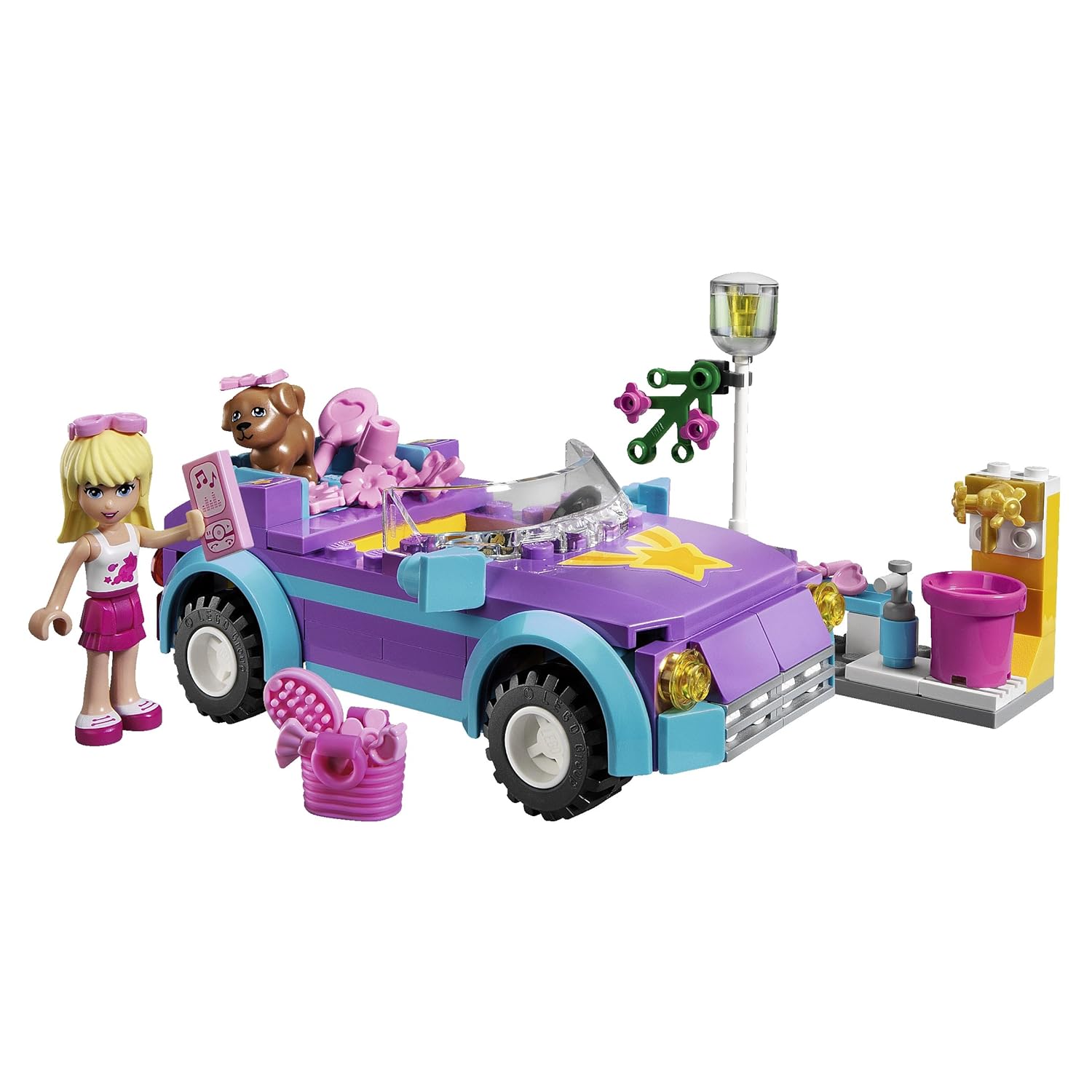
Lego Friends

So thanks to KSL, I now know about Lego Friends, a line of Legos for girls.  Can I just say, Lego did their homework.  The sets are a tree house, a dog show, a horse show, a pool, etc.  I know my two daughters would actually be very interested in these sets.  The sets remind me of Play Mobile.

In the KSL article, there's some people who are upset about having a special line of Legos for girls, but I don't see the problem.  If this introduces girls to Legos and the fun of building, then Lego should go for it.  I can imagine my girls getting the sets, then getting into the regular Legos for added pieces.

I think I may have found one of my daughter's birthday presents:

 
or maybe this set:
Yeah, that's pretty much her dream Lego set (actually, the dog show is her dream set, but I'm not spending that much on Legos). 

Thursday, December 15, 2011

Review: The Leonardo

The Leonardo
Location: 209 East 500 South  Salt Lake City, UT 84111-3203

(801) 531-9800
Cost: $12 a person or you can get a family 4 pack for $40.  Kids under 5 are free.


Review:  I've been hearing lots of advertisements for this museum on KSL.  I'm a sucker for museums, so for my birthday, my family and I went.  Parking wasn't too bad, there were metered spots near by and they were free for 2 hours (at least at Christmas time).  The museum was a mixture of art, creativity, and technology. 

On the ground floor was a few large art pieces (one of which scared my two-year-old).  There was also a creation area where we made cardboard puppets for use upstairs in the stop motion animation studio.  I had fun making my puppet.  There was also a cool interactive floor map, but we never got a chance to try it as it was always in use.

Upstairs we tried out the a 3D motion capture room. You moved around in a room and an animated elf copied your motion.  My kids had a blast playing with a green screen.  My four-year-old had fun playing with a touch screen computer that she could use a paint brush on.  We didn't get to try the stop motion exhibit since all were in use.  We didn't get a chance to really explore the artificial limbs exhibit or other things as this museum was not holding my youngest child's attention.

All in all, I liked the museum.  It would be OK for kids four and up, but ideally probably six and up.  My main complaint with it was that we always had to wait.  Most of the exhibits, only one person could use at a time and the exhibits could be used for a long time.  It was not crowded when we went, and we were always waiting.  I look forward to see what else they add.  It's worth a trip, but not if you have young children.

Sunday, November 27, 2011

Review: Kindle with Special Offers

I got a Kindle for my birthday, yay.  I've been wanting a dedicated e-book reader.  Right now I am using an ipod touch for reading which has a few disadvantages 1) the screen size is small and I need to use a larger sized font, so there's only a few sentences on the screen 2) my children / husband are always borrowing my ipod.  A Kindle has a much larger screen, and it doesn't play the games my children like.  I wanted to stick with Amazon since I've bought e-books from them in the past, so I have a library of them.  I couldn't decided which Kindle I wanted, so my sister and Mom decided for me :)

I like the Kindle with Special Offers so far.  I don't find the adds annoying.  There's an ad on the screen when it sleeps.  There's a small ad at the bottom of the home menu (similar to a banner ad).  I find the adds unobtrusive.

I like the e-ink display.  I like that I can read it in bright light.  My sister said she thought the letters looked a little fuzzy to her, but they don't to me.  My husband doesn't like the font it uses.  (Yes, he cares about stuff like that.)  You can change font size, but not the font itself.

I've been reading on it pretty heavily in the days I've had it, and my eyes aren't any more tired than with reading a regular print book.  I like the larger screen and can read quite a bit before having to turn the page.  I did make my thumb hurt the first day pushing the next page button, but I think I was just pushing it wrong.

Entering text with the four way button isn't too bad, but if you plan on typing a lot you will definitely want to get a different model.  I've been typing on it a bit because I've been setting it up, but I think after this first week, I won't type much at all other than the occasional book title.  I prefer to browse for new books on a desktop.

Battery life has been pretty good.  I haven't used up the battery yet.  I've had it 5 days and the battery bar is still almost full.  I'm hopeful I'll get a few weeks per charge.  This is much better than my ipod touch that needs to be charged every night.  This also means that if I want to read a paper book or my ipod is more convenient for some reason,  I won't come back to my Kindle and find its battery dead. It will still be ready when I need it.

The size is not as convenient as I had hoped.  It is about the size of a paperback book, but sticking it my coat pocket won't work (if I leave it in its case).  It does fit without the case, but I'd need to make a sleeve for it first.  The ipod touch is much more portable.  Basically, I can take the Kindle where I'd take a book.  It is very thin and light though.

Following links is a little annoying since you have to use the 4 way button to get the link you want, and you have to "click" twice to actually follow the link.  I think in time I'll get the muscle memory to do this, but right now, it's a pain.  If the books you read have many links, I'd suggest you look at the Kindle Touch.

I have put PDFs  and other mobi format books on my Kindle.  I've used both the usb cable and the e-mail method.  Both work fine.  PDFs seem to be a little annoying since your choices seem to be "fit to screen" or big (which doesn't work well when information is in columns).  I'm going to work with it some more and see if I can't find something that works better.

All in all, I like my new Kindle.  I'm glad I have it.

Free LDS resources for Kindle users

I got a Kindle for my birthday. Yay! I can't say I love it yet, but we are definitely in a serious relationship :)

I was looking for free copies of the LDS scriptures, music, and the children's Book of Mormon Stories.  I knew there used to be links in the .mobi format on the old lds.org site, so I went and found them.
(Updated 10/21/12):
There are now apps in the kindle store for the standard works, hymns, and children's song book, plus lds tools.

Friday, October 07, 2011

Initial Thoughts: Tracfone Samsung t404g review

I've now spent a couple of days with the Samsung t404g.  I bought it for its slide out keyboard and decent battery life.
Pros:
  • I love the slide out keyboard.  It is so much easier to enter contact information, calendar events, and text messages.  
  • I like the interface.  It is much more intuitive than my old Motorola phone.  
  • The camera takes OK pictures. 
  • There's a java facebook app that runs on it.  (I don't plan to use it much, too expensive in minutes, but it might come in handy on trips.)
  • It takes a microSDHC card.  I can copy pictures onto and off of the phone
  • You can add your own ring tones (I think).  The file has to be less than 300k though.  (I haven't actually tried this, but the functionality appears to be there.)
  • Battery life appears OK.  I charged it when I got it 5 days ago, and I'm charging it again now.  It got down to 1 bar on the battery.  I'm optimistic that battery life will be longer from here on out since I've used it a lot more than usual entering contacts, trying all the options out, and playing game.
  • MP3s sound fine to me on it. (Warning: I am not an audiophile.)
  • It has limited photo editing functionality.
Cons:
  • The Browser button is the same as one of the navigation buttons.  I haven't hit it accidentally yet though.
  • It really is bigger and heavier than my old phone.  The size given for it on Tracfone's website is with the slider closed.  It still fits in my front pocket though.
  • Camera has definite low light issues (blurry inside), but I'm not expecting much from a cell phone camera that doesn't have a flash
  • It only comes with one game: a game that is like a cross between snake and bejeweled. (I don't usually play games on my cell phone, but I know some people like to.)
  • No headphone jack.  It does support bluetooth. (haven't tried it)
  • It made the image on my CRT computer monitor wiggle occasionally when I set the phone nearby.
I'm happy so far with my phone purchase.

Here's a few pictures of it with the Motorola w376g and an ipod touch for size comparison (the 404g is the one in the middle).


Here's picture it took.

Thursday, September 29, 2011

Rag rugs

I've tried making rag rugs recently.  I used directions from this website.  It was actually pretty fun.  I used old t-shirts and an old queen sized sheet.  It is easy and fairly relaxing.  A fun thing to do while watching tv. 

Here's some things I learned:
  1. You want your cloth strips to be all about the same width.  If they aren't you have to go through loops extra times or skip loops to make it even out.  This can look a little odd.
  2. ripping the cloth is easier than cutting it.  I ripped the sheet.
  3. If you want to cut the cloth, use a rotary cutter.  I cut some of the strips with scissors and the edges were jagged and tended to snag.
  4. about half a queen sized sheet and one adult sized large t-shirt make a rug a little smaller than a door mat.
  5. the t shirt material likes to roll around itself and make a rope, very convenient.

Friday, September 23, 2011

tracfone Samsung t404g vs lg 500g

I'm considering a new phone once again.  My current phone is still working fine, but I'd like a keyboard for texting.  I don't need any other smart phone features.

The two phones I'm considering are the Samsung t404g and the lg 500g.
Samsung t404g:
pros:
  • Longer battery life (7 hrs talking, 14 days standby)
  • slider
  • triple minutes for life.   The triple minutes pays for itself after buying 1000 minutes (pre trippling).  So for me, it would be about 2 years.
  • slightly smaller than the lg500g
  • 2 mp camera and video recorder
cons:
  • heavier (4.55 oz)
  • not a lot of reviews
  • cost $60
Lg 500g
pros:
  • lighter (2.93 oz), this is less than my current flip phone
  • generally favorable reviews 
  • cheaper ($20-30  depending on where you buy)
cons:
  • shorter battery life (5 hrs talking, 9 days standby)
  • keys more exposed
  • 1.5 mp camera (doesn't really matter, still better than my current phone)
Pros to either phone:
  • takes video and better pictures
  • takes a microsd card so I can actually get pictures off my cell phone
  • has a texting keyboard
  • plays mp3s (don't really care, but it couldn't hurt)

Cons to either phone:
  • Screen isn't protected like my current flip phone.
  • larger than my current flip phone (I carry my phone in my front pocket)
I ended up getting the Samsung t404g.  My review is here.

Saturday, August 13, 2011

A Study in Scarlet

Apparently a school district in Virginia has "banned" (according to this article) the Sherlock Holmes story "A Study in Scarlet") because they thought it was derogatory to members of the Church of Jesus Christ of Latter-day Saints .  I used the word banned in quotes because really, it seems to be they are changing the curriculum of its sixth grade classes to include a different Sherlock Holmes story.

There seem to be a number of opinions on this.  Some people think it's a good idea.  Some people seem to say its censorship, and it provides a great opportunity to teach.

Here's my take.  Why was the story chosen?  If it was chosen to allow discussion about incorrect information in stories, then keep teaching it.  If "A Study in Scarlett" is Sir Arthur Conan Doyle's greatest work, then keep teaching it.  (It is the first novel that introduced Sherlock Holmes.)  I don't remember thinking it was particularly great compared to his later works.  However, I suspect the story was chosen to check off "read a mystery" in the sixth grade curriculum.  In that case, change the story.  For example, "The Hound of the Baskervilles" or  a set of several of his shorter stories.  The inaccurate information in "A Study in Scarlet" about the Mormons is distracting to the reason the six graders are reading the story.

Some people were likening the curriculum change to removing "Huckleberry Fin" from schools.  I think Huck Fin should stay.  1) It is taught to an older age group, usually high school where students should be well aware that books aren't always accurate.  2) It is reasonably historically accurate.  That is how things were.  (I will freely admit however that in "A study in Scarlet" I fall into the category of those who are being incorrectly represented where I don't have the same problem with Huck Fin)

Thursday, March 10, 2011

What I want in a house -- What I actually got

So, we're we're building a rambler with a basement.  Here is my list of "things my house must have" and what we ended up with. 

Overall
  • walking distance to schools  -- no, but they bus, so it's kind of a yes
  • near freeways and shopping -- yes
  • driveway faces not-north -- northfacing
  • not a split level-- yes
  • at least 2000 sqft-- yes
  • not on a stripy street (ie no lines down the middle, indicator of busy street)-- yes
  • no powerlines overhead -- yes
  • not right by a hill where a forest fire or mud slide could come down-- yes
  • kids near by -- yes
  • not in a flood plain -- yes
  • not a steep driveway-- yes
  • not steep to get out of neighborhood-- yes

Lot
  • about same size as we have now -- yes
  • place for garden-- yes
  • shed or room for shed-- yes
  • fruit trees or a place for them-- yes
  • automatic sprinklers-- not yet
  • fenced -- not yet

Garage
  • double car garage -- yes

Kitchen
  • plenty of counter space-- yes
  • pantry or lots of cabinets for food-- yes
  • (wish) center island-- yes
  • above stove microwave (or ability to add one)-- yes
  • (wish) not visible from front door -- no, well, it isn't visible from the door but it is a great room style, so guests will see the kitchen

Bedrooms
  • 5 bedrooms-- yes
  • (wish) master suite-- yes
  • (wish) walk in closet-- yes

Bathrooms
  • bathroom on every level-- yes
  • at least 2 showers-- yes
  • (wish) jetted tub  -- no

Other rooms
  • office / craft room-- yes
  • family room-- yes
  • front room-- yes
  • storage area for food storage-- yes
  • storage area for storage-- yes

General
  • faster internets accessible-- yes

Friday, January 07, 2011

Things a house must have for me to consider moving

My husband has jokingly talked about moving, so here is a list of things a new house must have for me to consider moving:

Overall
  • walking distance to schools
  • near freeways and shopping
  • driveway faces not-north
  • not a split level
  • at least 2000 sqft
  • not on a stripy street (ie no lines down the middle, indicator of busy street)
  • no powerlines overhead
  • not right by a hill where a forest fire or mud slide could come down
  • kids near by 
  • not in a flood plain
  • not a steep driveway
  • not steep to get out of neighborhood

Lot
  • about same size as we have now
  • place for garden
  • shed or room for shed
  • fruit trees or a place for them
  • automatic sprinklers
  • fenced

Garage
  • double car garage

Kitchen
  • plenty of counter space
  • pantry or lots of cabinets for food
  • (wish) center island
  • above stove microwave (or ability to add one)
  • (wish) not visible from front door

Bedrooms
  • 5 bedrooms
  • (wish) master suite
  • (wish) walk in closet

Bathrooms
  • bathroom on every level
  • at least 2 showers
  • (wish) jetted tub

Other rooms
  • office / craft room
  • family room
  • front room
  • storage area for food storage
  • storage area for storage

General
  • faster internets accessible
(We're building a house.  See how it rates on this list here.)

    Sunday, November 28, 2010

    2011 LDS primary theme and scriptures

     Here are the themes and scriptures for the LDS 2011 Primary program.

    January
    The scriptures are the word of God

    "Feast upon the words of Christ; for behold, the words of Christ will tell you all things what ye should do" (2 Nephi 32:3)

    February
    The Scriptures Teach of Heavenly Father’s Plan

    "For behold, this is my work and my glory-to bring to pass the immortality and eternal life of man" (Moses 1:39).

    March
    Heavenly Father speaks to us through His prophets

    "What I the Lord have spoken, I have spoken, . . . whether by mine own voice or by the voice of my servants, it is the same" (D&C 1:38).

    April
    Jesus Christ Is My Savior and Redeemer

    "We believe that through the Atonement of Christ, all mankind may be saved, by obedience to the laws and ordinances of the Gospel" (Articles of Faith 1:3).

    May
    The Church of Jesus Christ Has Been Restored

    "I saw two Personages, whose brightness and glory defy all description, standing above me in the air. One of them spake unto me, calling me by name and said, pointing to the other "This is My Beloved Son. Hear Him!" (Joseph Smith - History 1:17)

    June
    The First Principles and Ordinances of the Gospel Make It Possible for Me to Live with God Again

    "We believe that the first principles and ordinances of the Gospel are: first, Faith in the Lord Jesus Christ; second, Repentance; third, Baptism by immersion for the remission of sins; fourth, Laying on of hands for the gift of the Holy Ghost" (Articles of Faith 1:4).

    July
    The Temple Is a House of God

    "Sacred ordinances and covenants available in holy temples make it possible for individuals to return to the presence of God and for families to be united eternally" ("The Family: A Proclamation to the World," paragraph 3).

    August
    My Body Is a Temple of God

    "Know ye not that ye are the temple of God, and that the Spirit of God dwelleth in you?...The temple of God is holy, which temple ye are" (1 Corinthians 3:16-17).

    September
    The Gospel Will Be Preached in All the World

    "This gospel shall be preached unto every nation, and kindred, and tongue, and people" (D&C 133:37).

    October
    Prayer Is Reverent Communication between God and Me

    "If any of you lack wisdom, let him ask of God, that giveth to all men liberally, and upbraideth not; and it shall be given him" (James 1:5).

    November
    Reverence Is Love and Respect for God

    "Thou shalt love the Lord thy God with all thy heart, and with all thy soul, and with all thy mind" (Matthew 22:37).

    December
    The Scriptures Teach Me about the Savior’s Birth and Second Coming

    "For the Son of man shall come in the glory of his Father with his angels; and then he shall reward every man according to his works" (Matthew 16:27).

    Thursday, September 23, 2010

    Biking decisions - looking for a beginning adult bike

    So my husband loves to bike. Seeing him do it and hearing how much fun he has makes me want to try biking. I have visions of our family biking around. This means I need a bike. The problem: I never biked much as a child or youth and I'm terrified of falling over. (My balance isn't great.) So I'm trying to find a bike that I can get on and off easily and put both feet on the ground. I want to use it to ride around with my husband and kids and potentially pull a bike trailer with the younger ones in it.

    Use the mountain bike I have
    cost: $35
    pros:
    • cheap, I already own it
    • It's a decent bike
    cons:
    • not the right size
    • bad memories
    • saddle hurts
    explanation:
    I got this bike at a yard sale a few years ago for $35. It needs a different saddle and the frame is a little too big for me. I've fallen over trying to get off this bike, so I'm a little worried about riding it again.

    Get a cheap beach cruiser / hybrid
    cost: $75 - 250
    pros:
    • can get a step through frame to make getting on and off easier
    • If I don't end up liking riding a bike, I'm not out a lot of money
    cons:
    • probably will be steel frame so heavy and rusts easily
    • you get what you pay for
    • A lot of beach cruisers are single speed
    explanation:
    A hybrid or a beach cruiser seem like what I am looking for, the step through would make it easy for me to get off without falling over. The cheaper bikes (like at wal-mart) tend to be heavier because they are made of steel.


    Get a nicer beach cruiser / hybrid
    cost: $350 - 600
    pros:
    • Step through makes it easy to get on and off
    • some have forward pedals that let me put my feet down on the ground without having to have the seat to low.
    cons:
    • expensive, especially since I don't know if I'll use the bike

    Gears
    Single
    cost: $75 - 200 (depends)
    pros:
    • very simple mechanically. if I got one from wal-mart there isn't much that could go wrong
    cons:
    • towing is harder without multiple gears
    three
    cost: $100- 200
    pros:
    • more gear choices
    • many have automatic shifters so that the chances of the chain coming off the derailers is slim. Also, I wouldn't have to be moving to change gears
    cons:
    • more speeds make towing easier
    seven
    (same as 3 except the shifters aren't internal)

    21
    cost: $175 - $600
    pros:
    • best for towing
    • more complicated for me because gears make no sense
    cons:
    • chance of chain slipping or jumping
    explanation:

    breaks
    coaster
    • stops, but not great for towing
    hand breaks
    • stops the bike
    Where to get the bike:
    walmart
    • cheap
    • bikes assembled for you
    • easy returns
    • quality issues
    on-line
    • better "bang for buck"
    • have to assemble it yourself
    • returns would be a pain
    bike store
    • usually better customer service
    • knowledgeable customer service
    • can help you choose
    • more expensive prices (bikes start around $350)
    classifieds
    • can get a good deal
    • have to know enough about bikes to tell if the bike is in good shape
    • no returns

    Summary
    I think what I want is an inexpensive 3 speed bike with hand breaks and step through aluminum frame. I'll probably get it online or from wallmart. My husband is good at bikes and can help me assemble a bike. I want a bike that will need less twiddling, so a three speed would probably be a good match. Since I don't know what I like in bikes, an inexpensive one would let me discover everything I hated about it so when I bought a new, I would know what to look for. Also, I could ride my husband's old mountain bike if I needed more gears.

    (update 9/22/10)
    I ended up getting a 21 speed Forge Athena from Target.  It was a pain to get set up, but it seems to be a good bike.

    Is the new hotmail creepy?

    Recently hotmail updated its interface.  I'm still trying to decide if it is creepy or useful.  What it does is look through your email and show you updates from facebook and other social networking sites and also shipping notices.  It's actually very useful.  I'm just not sure I like being reminded that my email isn't private. 

    iPod touch 4 review

    My background: I wanted a new device to check email, play media and entertain children. My current device is a Nokia n800, but I've also owned a Dell axim and a Sony clie. This is the first apple product I've owned. I wanted to replace my n800 because it was slower and unable to play newer media content. I was also interested in something with a large developer base and wide support.

    Why I chose an iPod touch 4th generation 32 gig:
    -it wasn't a phone. I am quite happy with my prepaid phone.
    -it has a large developer base and plenty of apps
    -large amount of children's content, plus controls so nothing bad gets downloaded
    -kindle books
    -netflix streaming
    -beautiful screen

    Things I dislike:
    -interface not totally intuitive. I could figure 80% on my own, but for the rest...thank goodness for google.
    -blogger really doesn't work well
    -some free kids apps have ads
    -it's a pain to close apps (not as bad as the Dell axim though)
    -
    (note: this is how far I got typing on my ipod touch.  After this, the blogger web interface just wouldn't work correctly, so now I'm on a desk top.  I'll use email next time.)
    - plugging the charger cable in is a little weird because of the beveling around the screen

    Other thoughts:
    -mis-touches aren't as common as I had worried
    -wifi connects very quickly
    -I'm glad I got 32 gig, 8 gig would have been way too small (5 gigs of music, plus a few videos and audio books and apps)
    -kids love my ipod, I have to fight them for it
    -no flash hasn't been a serious issue so far

    Update 10/17/10: I still love my ipod touch.  Games are hard on the battery life, but just web browsing and reading ebooks, it seems to hold a charge for a day or two.